
What Is a Court Docket in Jefferson County
A docket is a court's chronological record of a case. Each line, called an entry, marks one event. A complaint is filed, a summons is issued, a motion is heard, an order is signed. The docket lists those events in date order so anyone can follow the case from start to finish. It is the index to the file, not the file itself.
A Jefferson County docket differs from the full case record. The docket is the short list of what happened and when. The full record holds the actual documents behind each line, including pleadings, exhibits, signed orders, and judgments. A reader scans the docket to see the shape of a case, then pulls the underlying papers when the detail matters.
Each court keeps its own docket. Circuit Court dockets cover felony criminal cases and major civil suits. Chancery Court dockets cover divorce, estates, guardianships, and land disputes. Justice Court tracks traffic citations, county-ordinance cases, and felony first appearances. The court that holds the case is the court whose docket you need.
Dockets serve a practical purpose for the public. A party checks the docket to confirm a hearing date. A creditor checks it to see whether a judgment has been entered or a garnishment issued. A reporter or researcher checks it to track how a case moves. Because the docket lists every step in order, it answers the simple question of where a case stands right now without forcing a reader to open every document in the file.
How to Find Jefferson County Dockets Online
The main online path to Circuit and Chancery dockets is Mississippi Electronic Courts, known as MEC. The Mississippi Judiciary describes MEC as a comprehensive internet-based filing and case-management system for the trial courts. Public viewers do not use the filing login. Instead, they register for PAMEC, the public access side, and view filed cases and docket entries through that account.
The state finished bringing every trial court onto electronic filing on July 2, 2025, so MEC now reaches statewide. The MEC general information page explains how the system handles filing and case management for Chancery, Circuit, and County Courts.
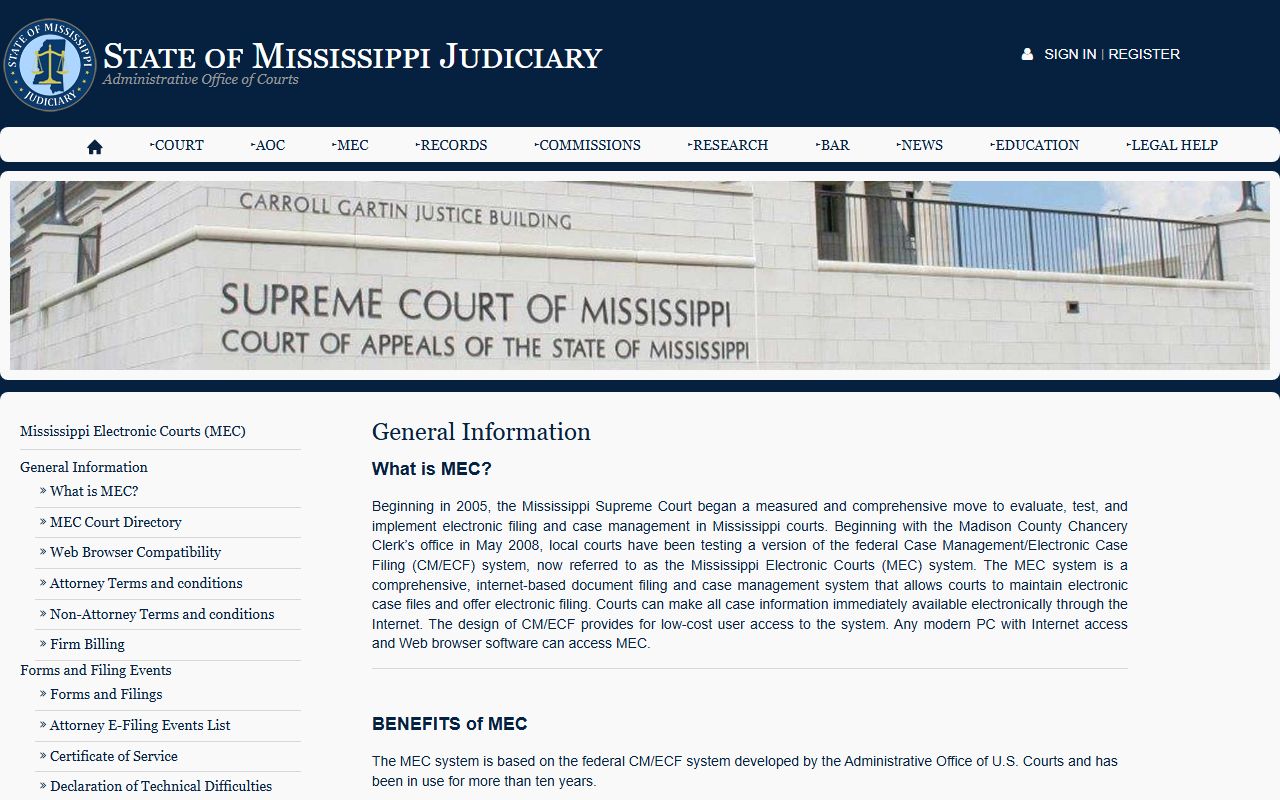
That overview shows MEC as the backbone for trial-court dockets across Mississippi, including Jefferson County. Registering as a viewer is the step that turns the system from an e-filing tool for lawyers into a docket-search tool for the public.
- Open the Public Access MEC registration site at pamecapps.mec.ms.gov and create a viewer account.
- Log in with your PAMEC credentials, not the MEC filer login that attorneys use.
- Pick the court that holds the case, such as the Circuit Court or the Chancery Court for Jefferson County.
- Search by party name or case number, then open the case to review its docket entries.
For Justice Court traffic and fine records, the route is different. Jefferson County links its court fines to the MyFinePayment portal, which lists the Jefferson County Justice Court as a jurisdiction. That portal shows initial-appearance and citation records tied to a ticket and lets a user pay the fine.
The Statewide Move to Electronic Dockets
Electronic dockets in Jefferson County arrived as part of a statewide rollout, not a county project. The Mississippi Judiciary marked the milestone in a news release on the completion of electronic filing statewide.
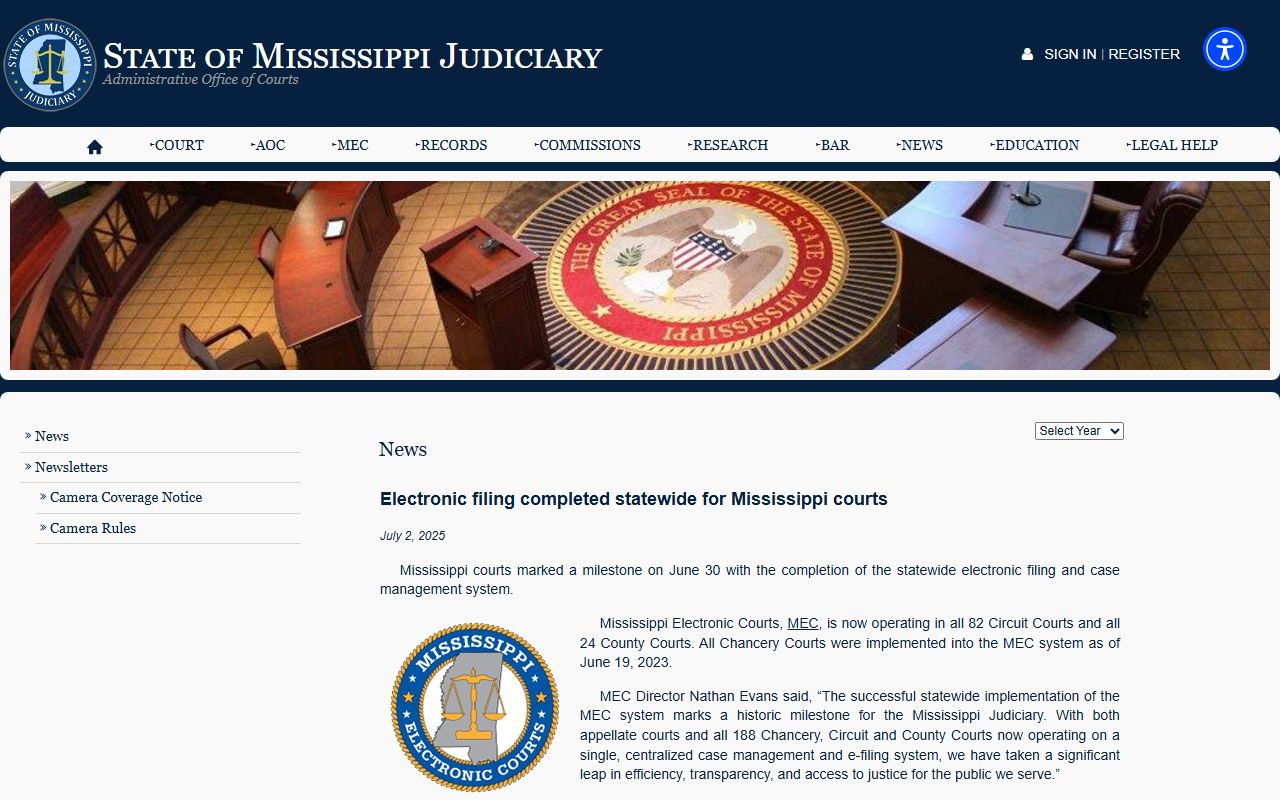
The release matters for docket searches because it means the same system now covers trial courts across the state. A case filed in Jefferson County Circuit or Chancery Court after the rollout should carry an electronic docket reachable through PAMEC.
Sample Jefferson County Docket Entry
Each docket entry is a short, structured line. It records when an event happened, what kind of event it was, who triggered it, and whether a document is attached. Read in order, the entries trace the life of a case. The table below breaks down the parts of a single entry.
| Field | What It Shows |
|---|---|
| Entry Date | The date the filing, hearing, or order was recorded. |
| Event Type | The action logged, such as a motion, hearing, order, or disposition. |
| Party Filing | The side that filed the paper or requested the action. |
| Document Link | A link to the underlying document when one is attached and not restricted. |
The kinds of events that fill a docket are wide. A Jefferson County docket can hold complaints, petitions, indictments, motions, summonses, and subpoenas. It can also hold judgments, executions, garnishments, appeals, continuances, hearings, and orders. The list below gathers the entry types that appear most often across the county's courts.
- Opening filings: complaints, petitions, indictments, and affidavits.
- Process and service: summonses and subpoenas.
- Motion practice: motions, continuances, hearings, and orders.
- Criminal events: initial-appearance entries, pleas, disposition, and sentencing.
- Outcomes and collection: judgments, executions, garnishments, dismissals, and reinstatements.
- Review: appeals to a higher court.
Note: docket terms can be dense, so a short glossary of words like motion, disposition, and continuance helps a first-time reader follow the entries.
Courts That Publish Dockets in Jefferson County
Jefferson County dockets sit in four trial courts plus the youth court, and not all are reached the same way. The general-jurisdiction courts feed MEC and PAMEC. The lower courts and the youth court follow their own rules. Knowing which court holds the case points you to the right docket source.
Older or non-digitized dockets are a special case. A case that predates the electronic rollout, or one that never made it online, may live only on paper at the courthouse. For those, call or visit the clerk. The Circuit Clerk can run a docket survey, and the Chancery Clerk can pull equity and land dockets. The list below shows where each court's dockets are found.
- Circuit Court: felony and major civil dockets, reachable through MEC and PAMEC and through the Circuit Clerk.
- Chancery Court: divorce, estate, guardianship, and land dockets through MEC and PAMEC and through the Chancery Clerk.
- Justice Court: traffic and initial-appearance records through MyFinePayment and the Justice Court clerks.
- Youth Court: delinquency and child-protection dockets that are confidential and not open to public search.
Docket vs. Full Case Record
The docket and the full case record are two different things. The docket is the index of events. The full record is the stack of documents behind those events. A docket survey tells you a motion was filed; the full record holds the motion itself. People mix the two up, so the difference is worth pinning down before you search.
Access also differs. A docket survey at the Circuit Clerk costs $10 per individual name and gives you the list of filings tied to that person. The underlying documents carry their own copy fees, such as $2 for a certified copy of any document on file with the Circuit Clerk. The table below sets the two side by side.
| Docket | Full Case Record | |
|---|---|---|
| Format | List of dated entries | Full documents and exhibits |
| Access | $10 docket survey per name; online via PAMEC | Per-page or per-item copy fees; may need a visit |
| Use | Track case progress and status | Legal review, evidence, certified copies |
For the documents that sit behind the docket, the full file is covered in the Jefferson County court records overview. The docket points the way; the case record holds the proof.
How to Read a Jefferson County Docket
Reading a docket means reading its shorthand. Entries are brief and use standard court terms. A few definitions clear up most lines. A motion is a written request for a ruling. A continuance is a postponement. A disposition is the final outcome of a charge or case. An order is the judge's signed decision on a request.
Criminal dockets carry their own sequence. An initial-appearance entry marks the first hearing after arrest, where the defendant learns the charge. A plea entry records the answer of guilty or not guilty. A disposition entry records how the case ended, and a sentencing entry records the punishment after a conviction. Read together, those lines show a case moving from charge to outcome.
The MEC login screen sets the ground rules for viewing these dockets. The MEC login notice explains the split between a filer login and a PAMEC viewer login and warns about redacting sensitive identifiers.
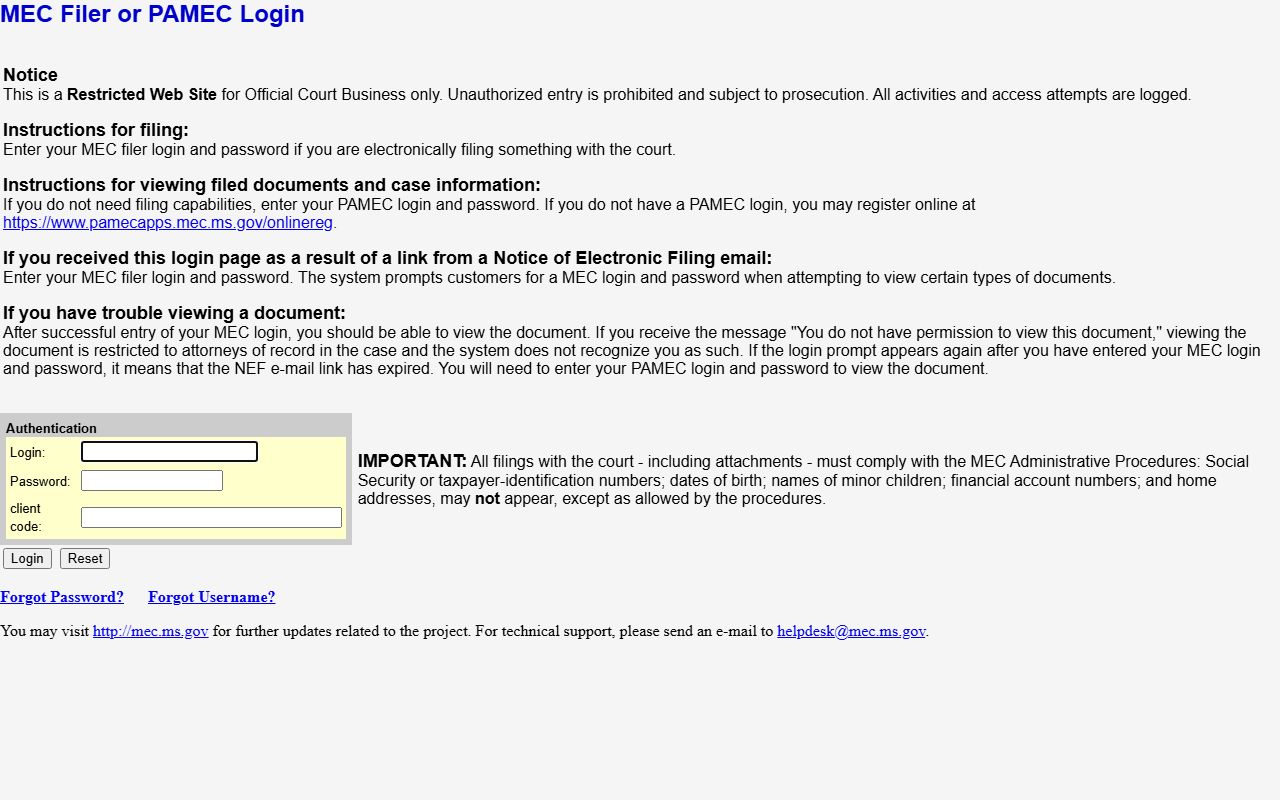
That notice is the gate to most electronic dockets in the county. It also flags that access may be blocked if a document is restricted, if the viewer is not an attorney of record, or if a filing link has expired. When the online route closes, the clerk counter at the Jefferson County Courthouse remains the fallback for reading a docket.
One common entry deserves a closer look. The county reports that Justice Court judges hold sessions at the jail three times each week so an arrested person gets an initial appearance within three days. Those sessions generate initial-appearance entries on the Justice Court docket. For a felony, that entry is the first court event before the case moves to the grand jury and on to Circuit Court, where the indictment, pleas, and disposition entries follow. Tracing those entries across two dockets shows the full arc of a serious case in Jefferson County.